


Home inspection app for iPad, iPhone and Android
Write the report on site in the app. Take photos and edit with no signal, then sync to the web when you’re back online.
Does it work on an iPad, and with no signal?
Yes. Hive Inspect has one app for iPad and iPhone, and one for Android phones and tablets. Download today’s reports before you leave. At the site, you take photos and write the report with or without signal. The report syncs when you’re back online.
The AI tools, syncing, previewing, publishing and booking need a connection.
What works with no signal, and what needs one
For crawlspaces, basements and rural lots with one bar or none.
Works with no signal
- Open the reports you downloaded before you left
- Take photos with the in-app camera, or add them from your gallery
- Mark up photos with arrows, circles, lines and text
- Add captions and location tags such as “master bedroom”
- Check off comments, and write or edit them
- Take CYA photos for your own records
Needs a connection
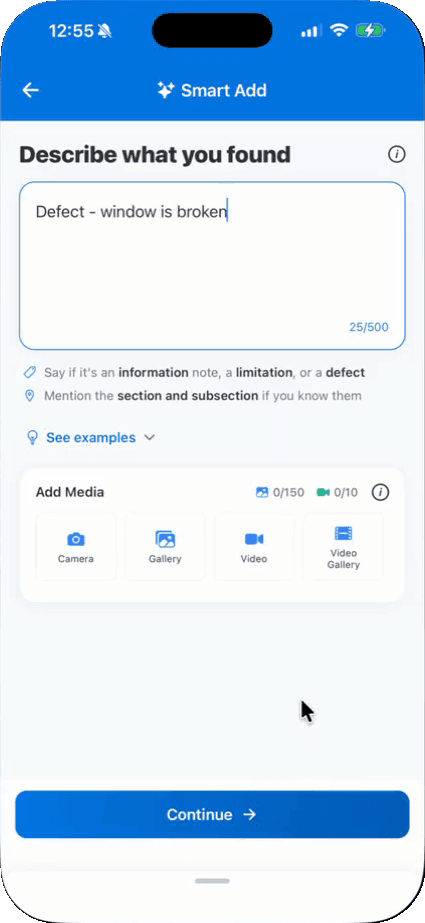
- Smart Add, including its microphone
- AI Comment Assist and AI Comment Merge
- Downloading reports onto the phone
- Syncing your changes to Hive
- Previewing the report as your client sees it
- Publishing the report
- Booking a new inspection or quote in the Schedule tab
An offline inspection, start to finish
- 1Install Hive Inspect from the App Store or Google Play and log in.
- 2Before you leave, tap the download button at the top right of the inspection list. Hive downloads the reports for today’s inspections. While the app is open, it also does this on its own.
- 3For any other job, open its report once while you still have signal.
- 4At the site, take photos and write the report as usual, with or without signal.
- 5Back in signal, tap Sync and wait for the green Synced button. Then publish from the app or the web.
iPad, iPhone, Android and the web
iPhone and iPad
One app from the App Store for both, laid out for each screen. It needs iOS 16.4 or later.Android phones and tablets
The app from Google Play. Log in with the same email and password you use on the web.A computer
Book inspections and edit reports in the web dashboard, in your browser, with nothing to install. On a phone or tablet, write reports in the app, not in a mobile browser.Phone, tablet and computer on one report
Work on the same report from more than one device. When the app syncs, the web editor adds those changes to the report you have open. To pick up web edits on the phone, go back out of the report and open it again.Two inspectors, one report
Each inspector logs in on their own phone. You see a teammate’s work the next time you open the report after they sync. If you both edit the same comment, Hive merges the edits and keeps both inspectors’ photos.
App questions
Something else? Ask customer support, 7 days a week, including Saturday and Sunday, by chat, screen share, video call or email.
Does the Hive Inspect app work offline?
Is Hive Inspect home inspection software for iPad?
What needs an internet connection?
Can I say a finding instead of typing it?
How do I know my report is saved?
Is there a limit on photos?
What does the app cost?
Take Hive to your next inspection
Start with a free trial: 5 free reports, no credit card. We move your templates, agreements, services, contacts and settings, and set up your account so it’s ready to run your business, free.