


Everything Hive does, step by step
From the booking to the follow-up, in the order you work. Every feature and every AI tool is on every plan, for $99/month.
- 2,500+home inspectors
- 40–50 minsaved per inspection, inspectors report
- 7 daysa week of customer support
- $99/monthat 20 inspections or 60, AI included
Booking
Clients book themselves, and your calendar fills in.
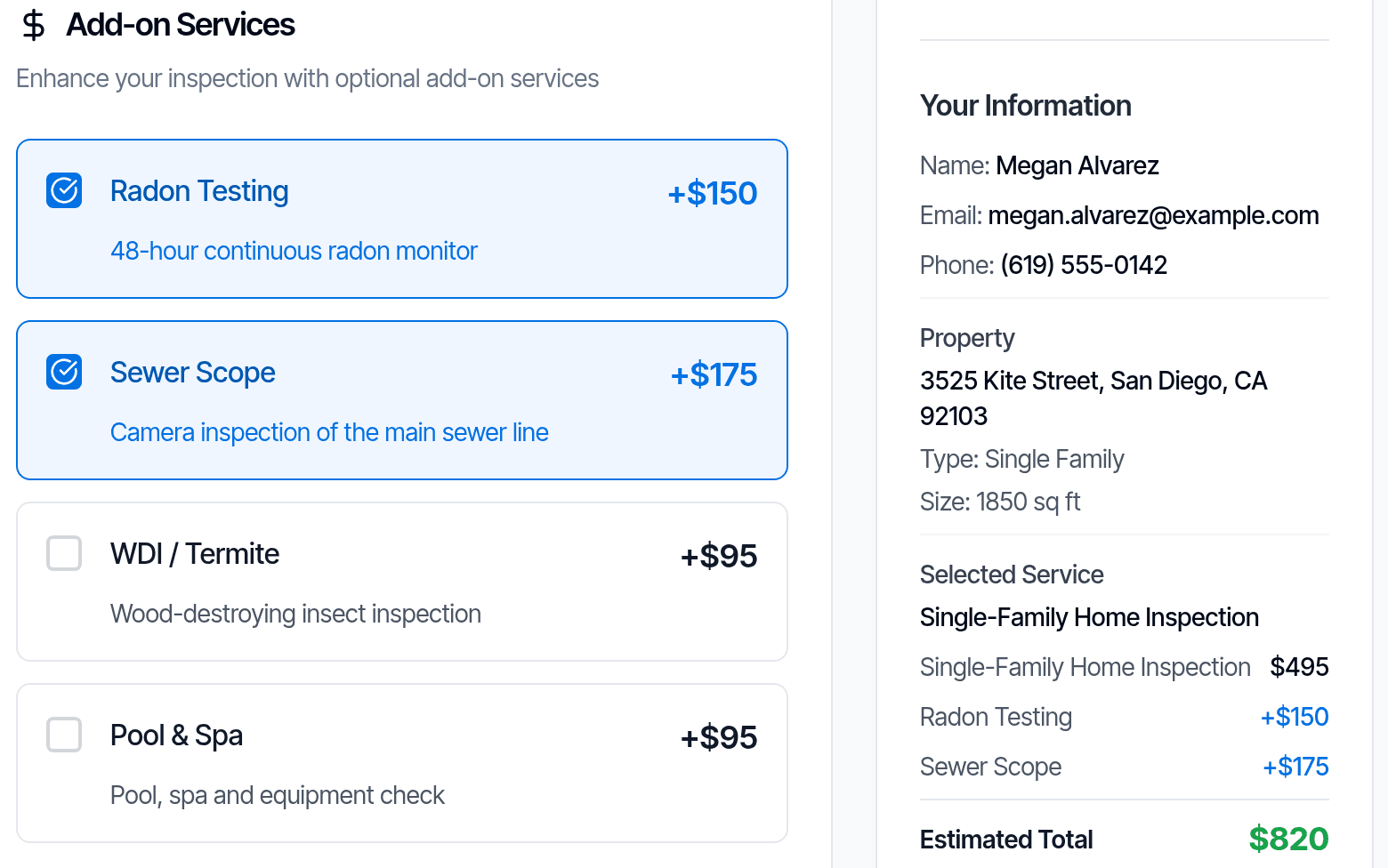
- Online bookingClients book from your website and pick services and add-ons from a menu.
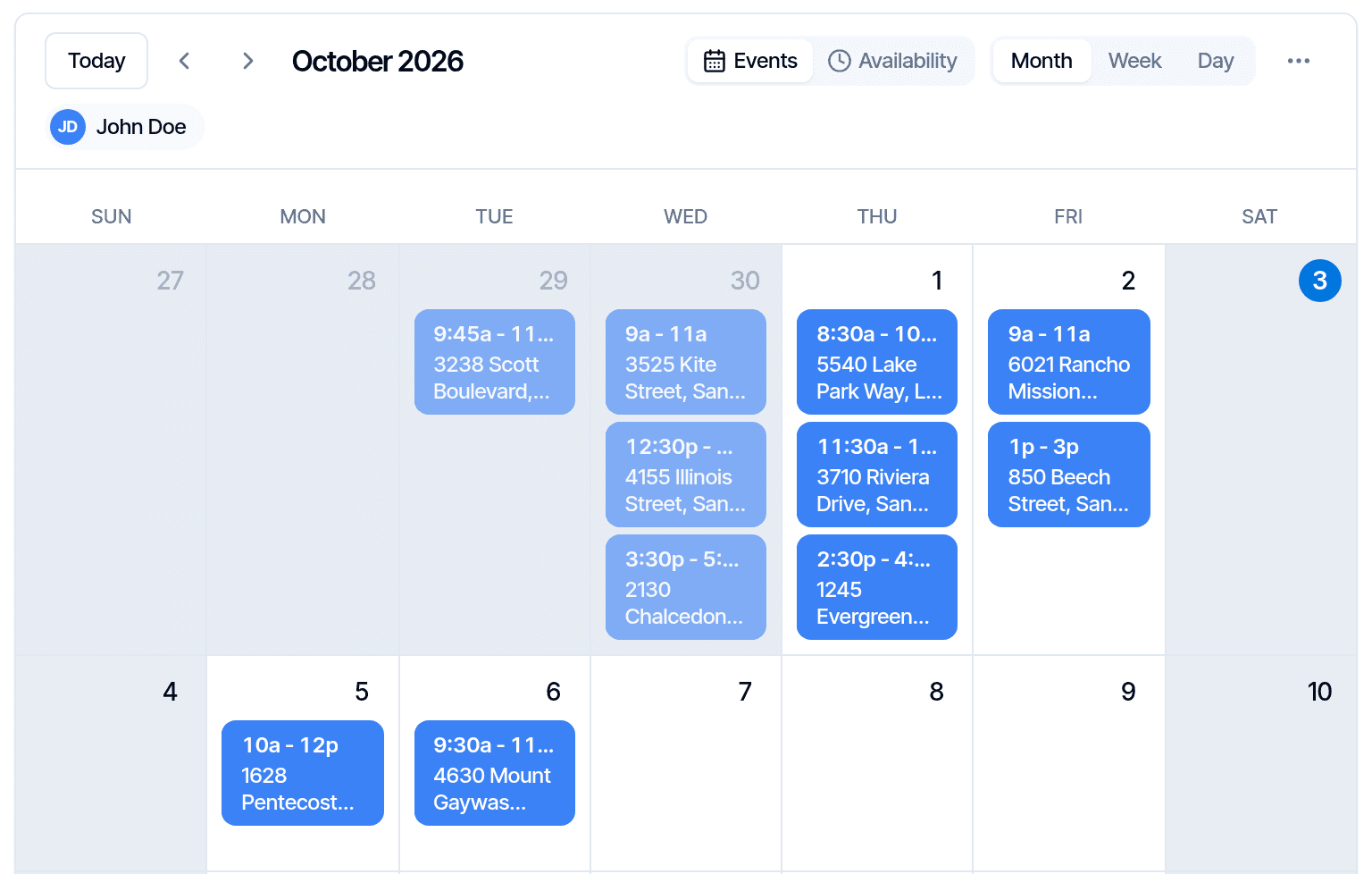
- Hive CalendarStatus, payments and agreements at a glance. Reschedule from it, block time off, sync to Google.How it works
- Automatic inspector assignmentNew bookings go to an available inspector, the closest one if several qualify.How it works
- Hours and service areasClients only see times and places each inspector can take.
- Book from your phoneSchedule an inspection or send a quote in the app.
Show all 11 booking featuresShow fewer
- Travel feesAdded on their own, based on distance to the property.
- Route mapSee the drive between your inspections.
- Custom booking fieldsAsk your own questions when clients book, such as a lockbox code.How it works
- Property details from ZillowEnter the address and Hive pulls up the property’s Zillow details.How it works
- Linked eventsRadon drop-off and pick-up as their own calendar events, tied to the inspection.
- Discount codesPercentage or fixed codes clients enter when booking online.How it works
Agreements and payments
Signed and paid before the report goes out, if you choose.
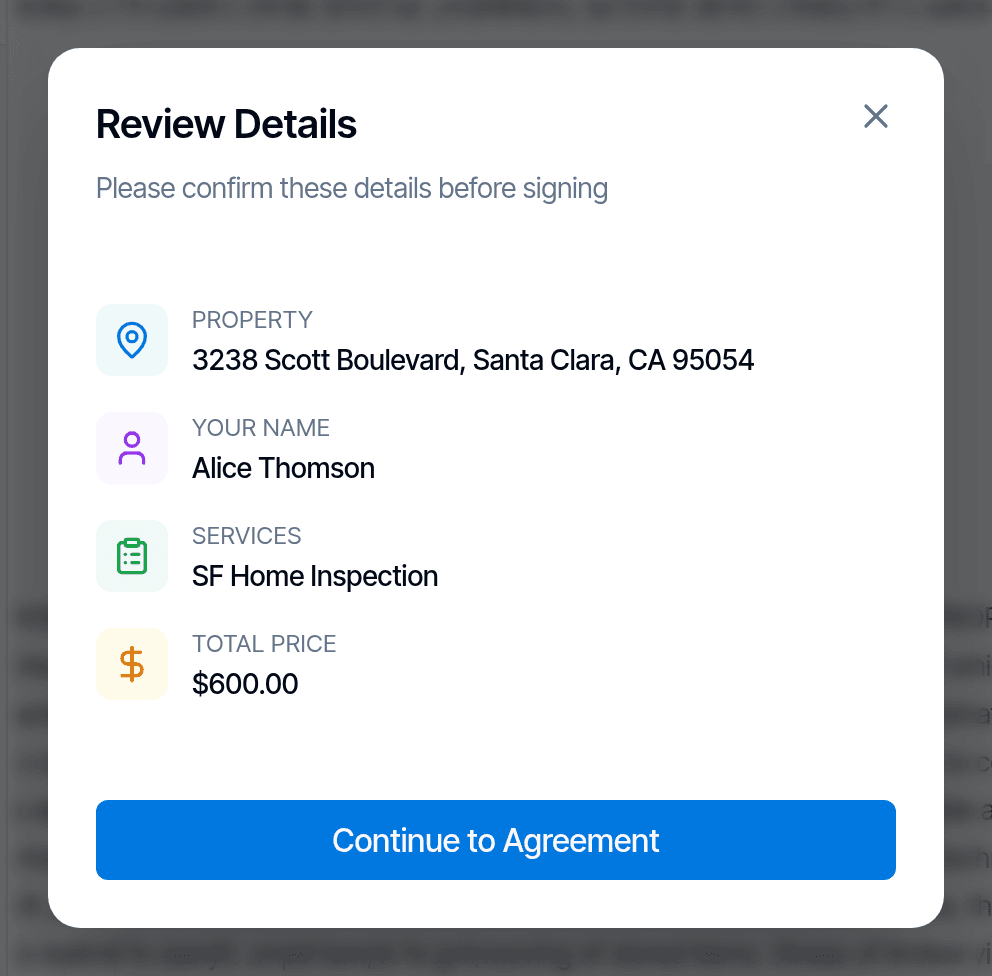
- AgreementsFilled in from each inspection and signed online.
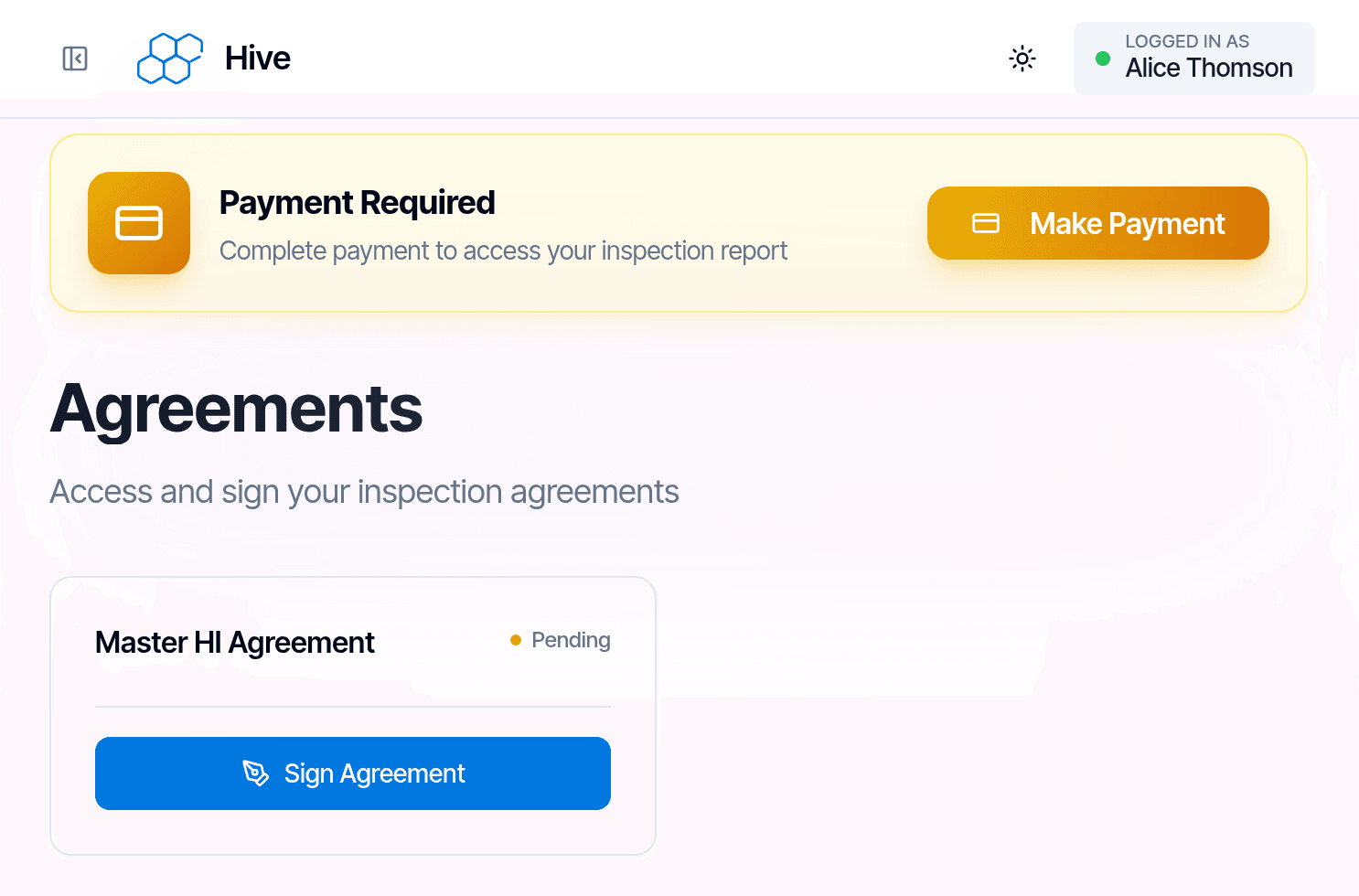
- Online paymentsCard, bank transfer, Apple Pay, Google Pay or Affirm, through your Stripe account.How it works
- Report lockThe report opens once the client has signed and paid.
- Pay at CloseClients can choose to pay at closing.How it works
- Split the billSend part of an invoice to an agent or another contact to pay.
Show all 12 agreements and payments featuresShow fewer
- Invoices and refundsBuilt from each inspection’s services. Refund in full or in part.
- Stand-alone invoicesCreate a custom invoice and send it through Stripe.How it works
- Pass card fees to clientsCard payers cover the processing cost; bank transfers don’t.How it works
- Services and pricing rulesPrices change on their own by square footage, age of the house and more.How it works
- Weekend and off-hours pricingCharge more for weekends or after hours.
- Test your pricing rulesTry sample property details and check the price comes out right.
- Typed signaturesClients type their name and the signature is made for them.
Writing the report
Write on site, finish anywhere. Every AI tool is included, and you approve every comment.
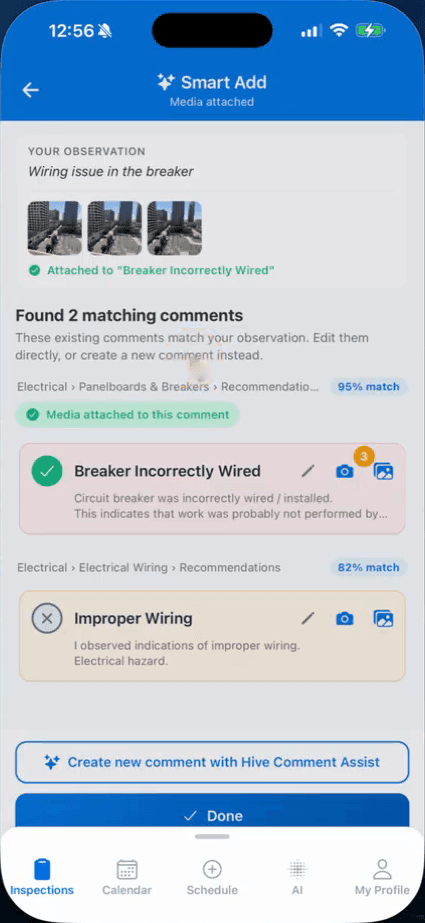
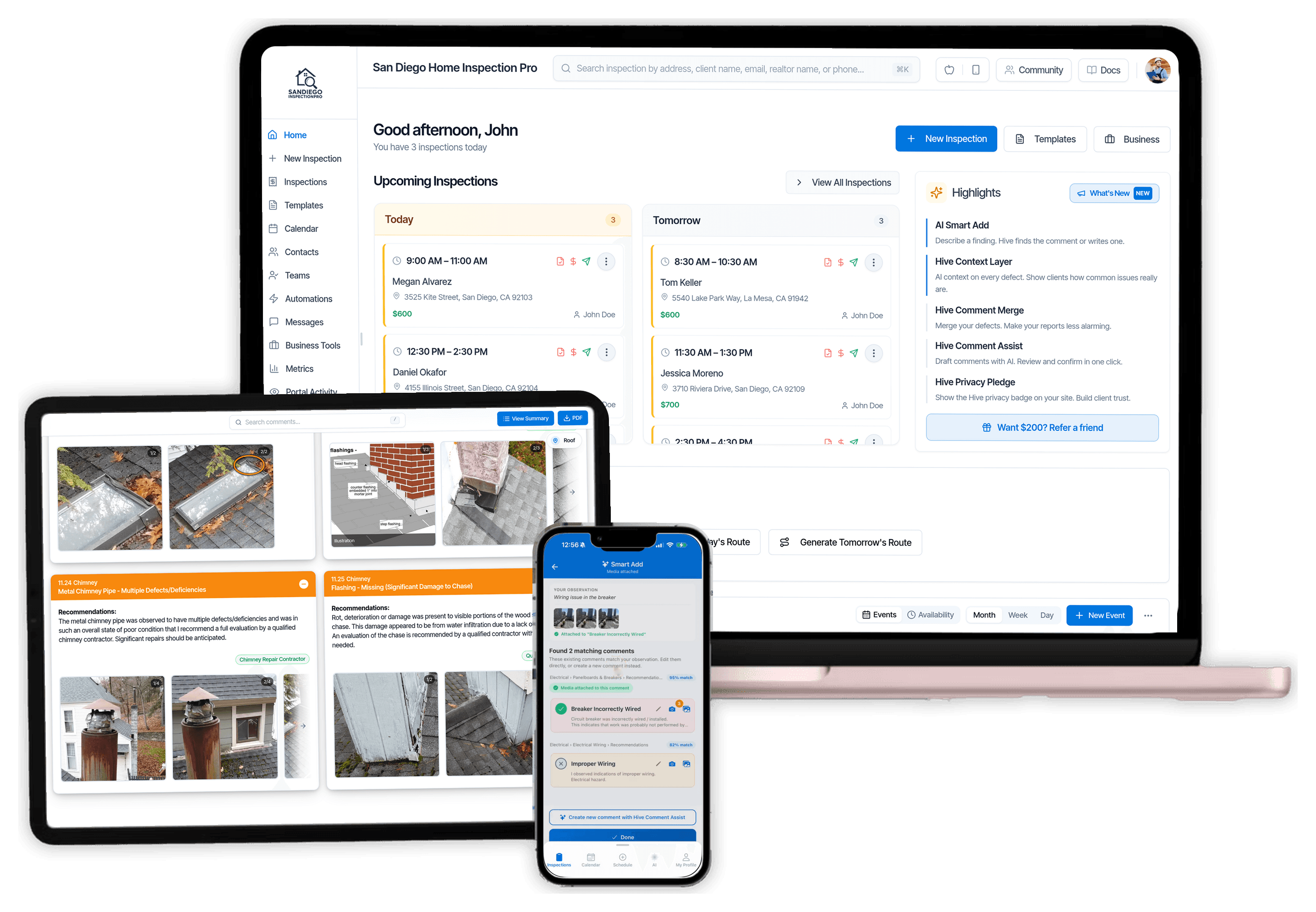
- Smart AddAIIn the app, describe a finding and get your own matching comments, or a draft. Inspectors report saving 25–30 minutes per inspection.
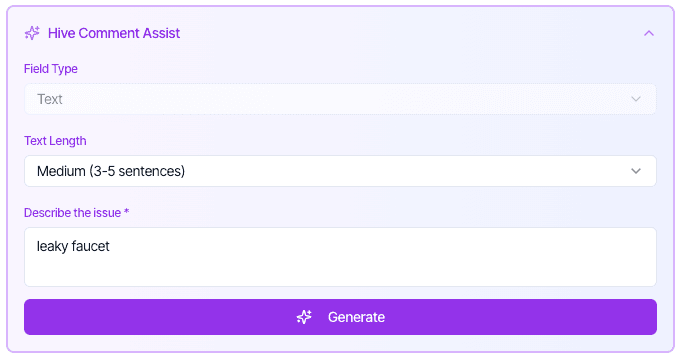
- AI Comment AssistAIA full comment from a few words, in your company’s voice. Inspectors report saving about 20 minutes per inspection.
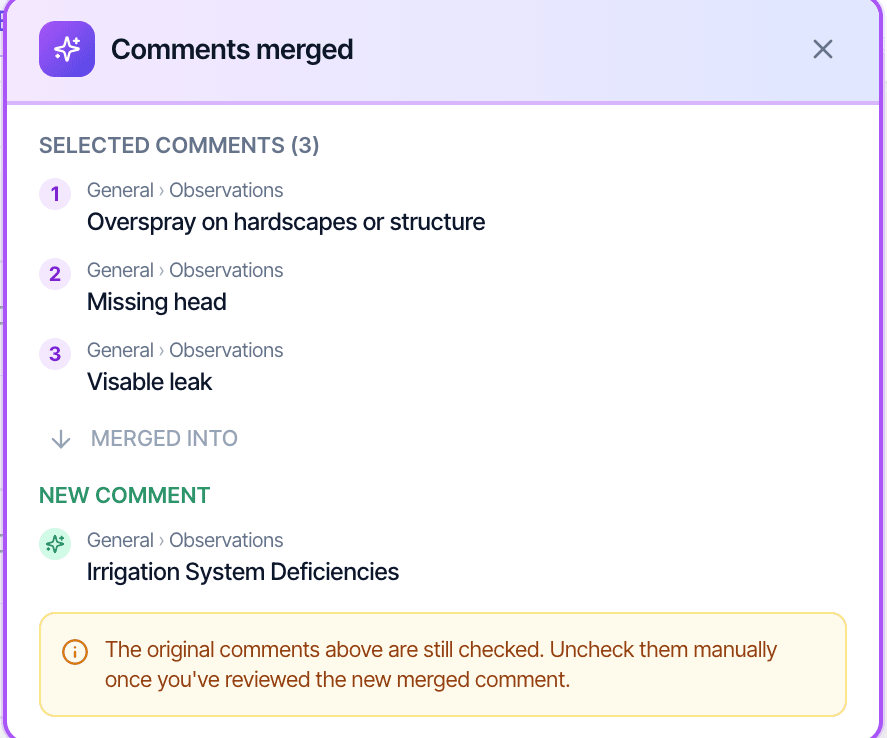
- AI Comment MergeAICombine up to three related defects into one comment.
- Edit Templates with AIAIRewrite comments in your template and compare them with yours before you save.
- Phone, tablet and computerStart on site, finish at your desk. It’s the same report.
- Works without signalPhotos and writing sync when you’re back online.
Show all 18 writing the report featuresShow fewer
- Your templatesWe move them for you, or import them yourself from Spectora, HIP or HomeGauge.
- Template HubReady-made templates, including commercial, mold, radon, and pool and spa.
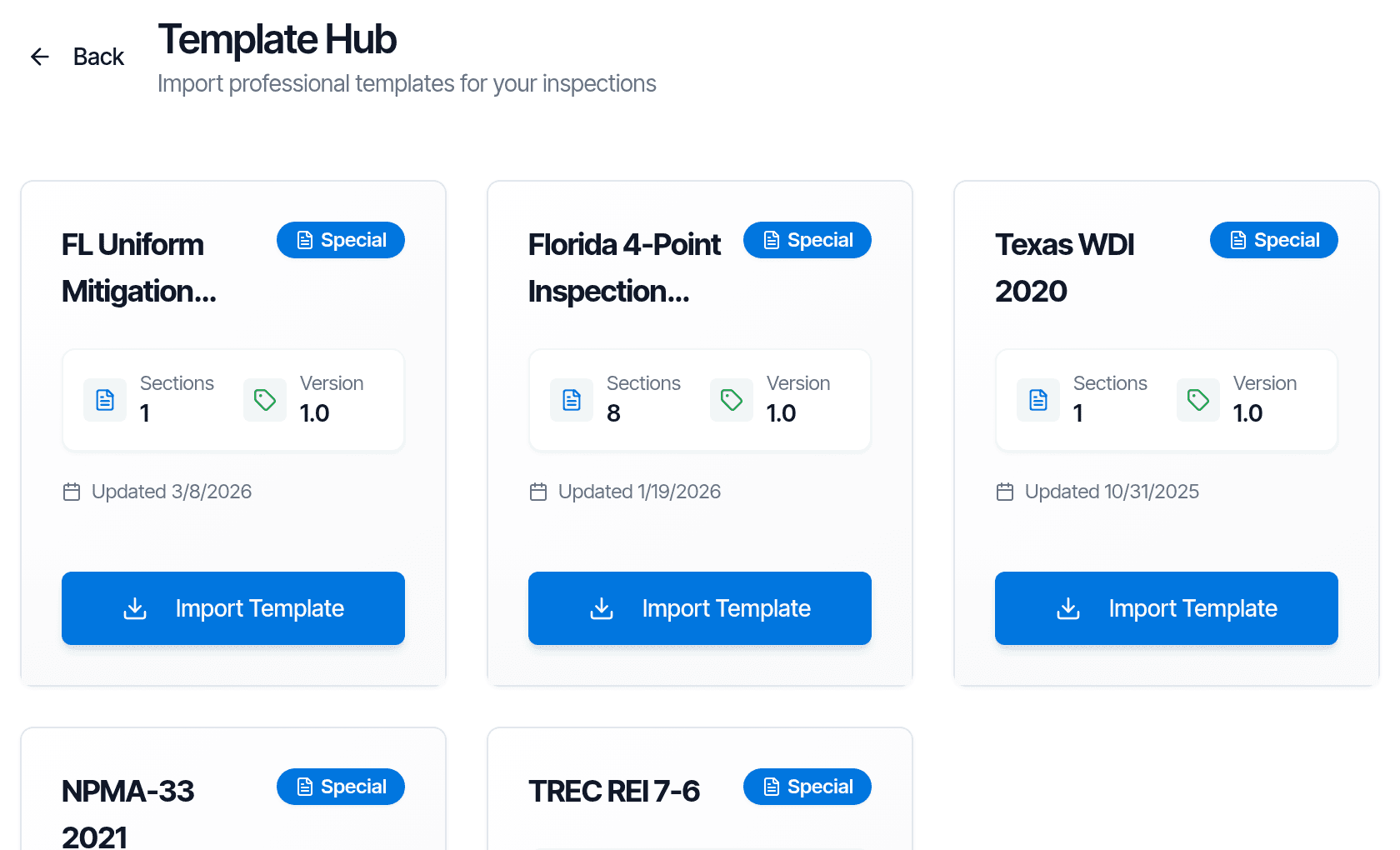
- State formsFlorida wind mitigation, 4-point, roof and WDO, Texas TREC and WDI, NPMA-33.
- Photos and videoUnlimited photos and video clips, with a rapid-fire camera for many shots at once.
- Photo markupArrows, circles, boxes, text and crop, on the phone and the web.
- Hands-free cameraTake a photo with the volume button or by saying a keyword.
- Location tagsTag where you found it, such as "master bedroom".
- Team inspectionsSeveral inspectors on one report.
- Several reports on one inspectionUnit 1 and Unit 2, or a radon report, published together.
- Re-inspection reportsMark each defect repaired or not, and send a follow-up report.How it works
- Your own defect categoriesUp to three colour-coded severity levels, with your names.
- Phone and web, liveEdits made in the app show up in the report open in your browser.

“… the AI will help you with the narrative instead of you having to word smith it like an English major.”
Try it on your next inspection. 5 free reports, no credit card. Get 5 free reports
Delivering the report
A report clients can read, and a place for agents to find it.
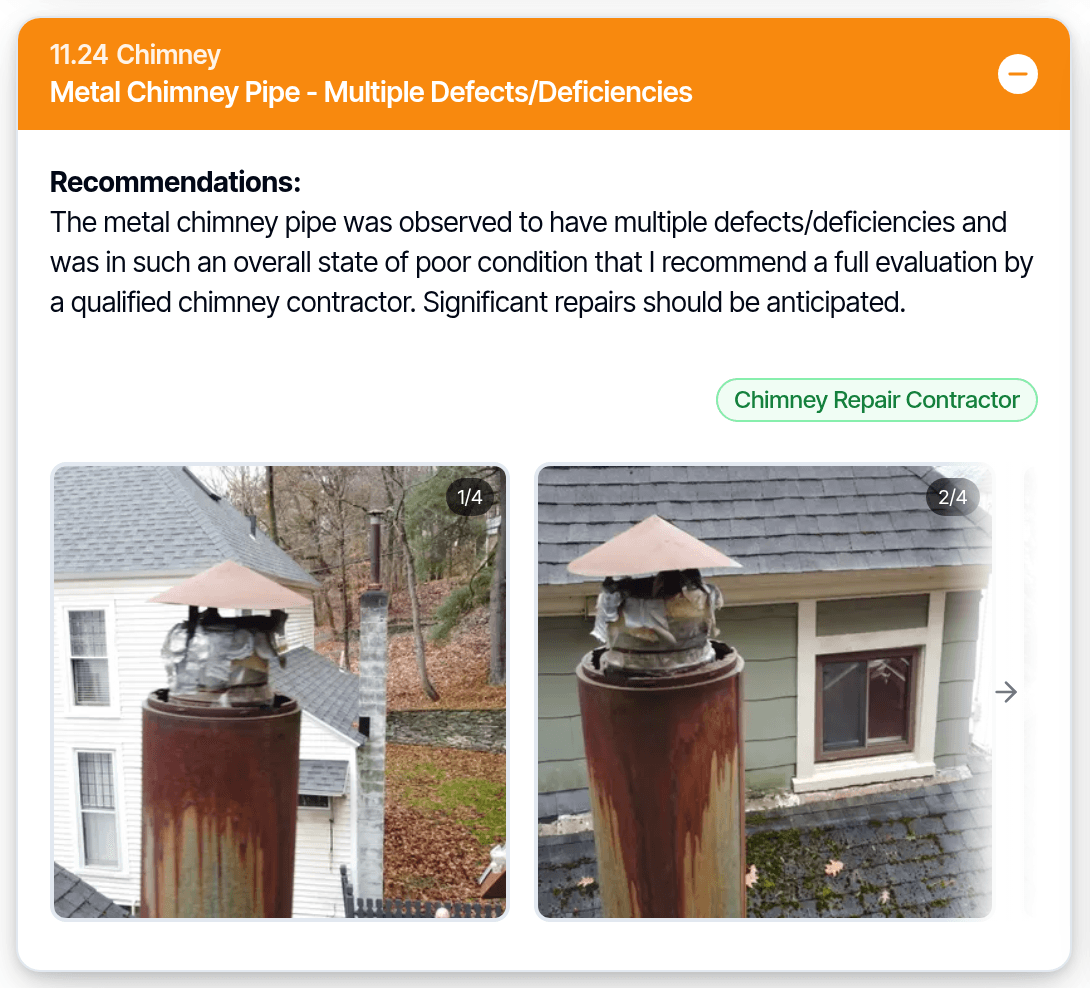
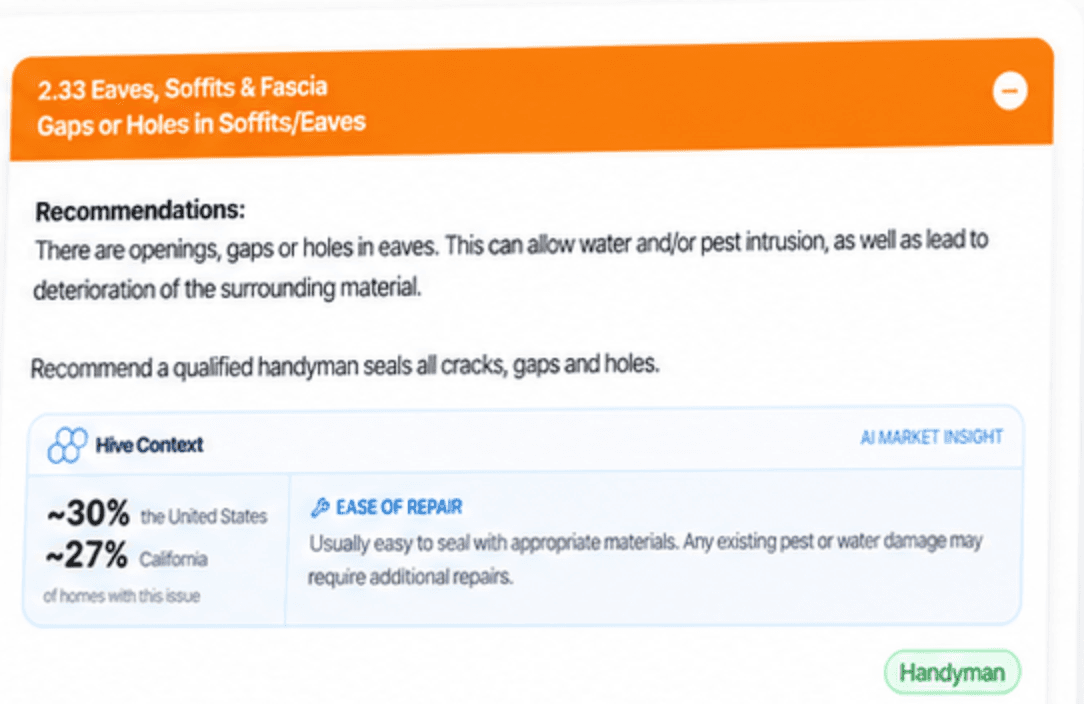
- Context LayerAITells the buyer how common each defect is and how involved the repair usually is.
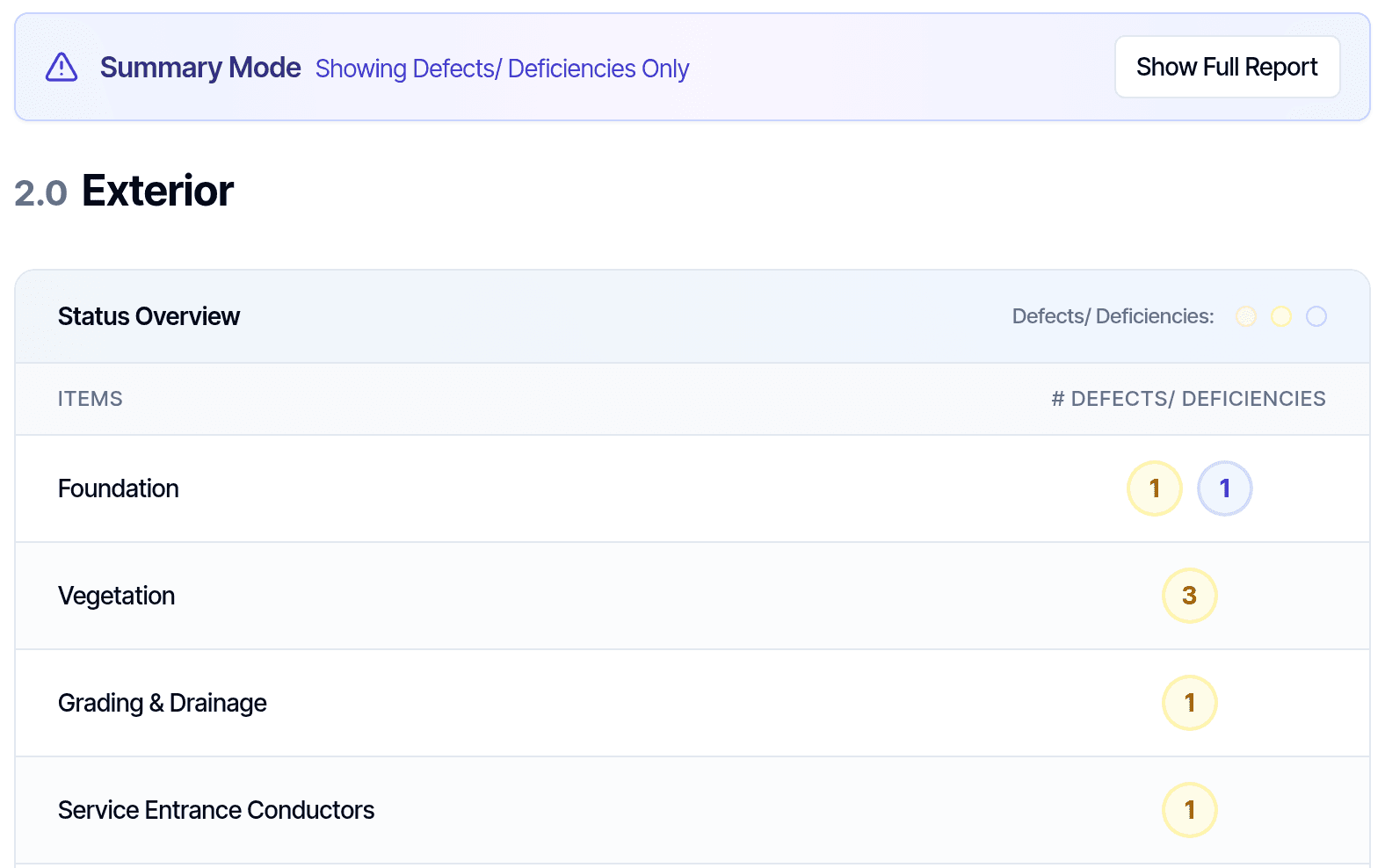
- Web and PDF reportsYour brand colour and cover page, with a defects-only summary.
- Client portalOne link to sign, pay and read the report.
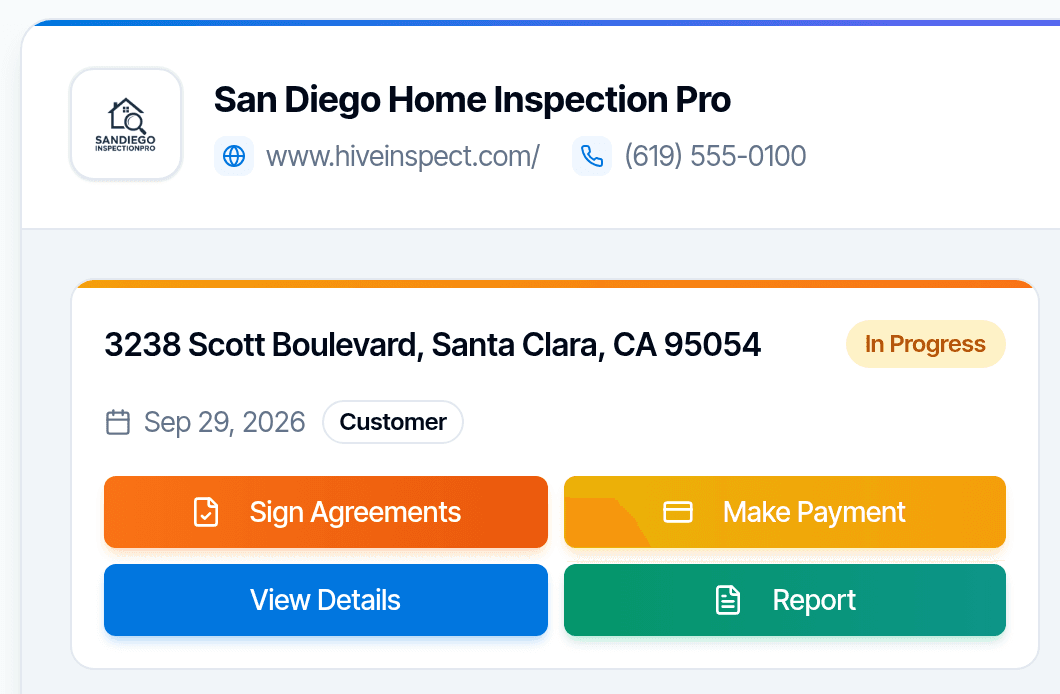
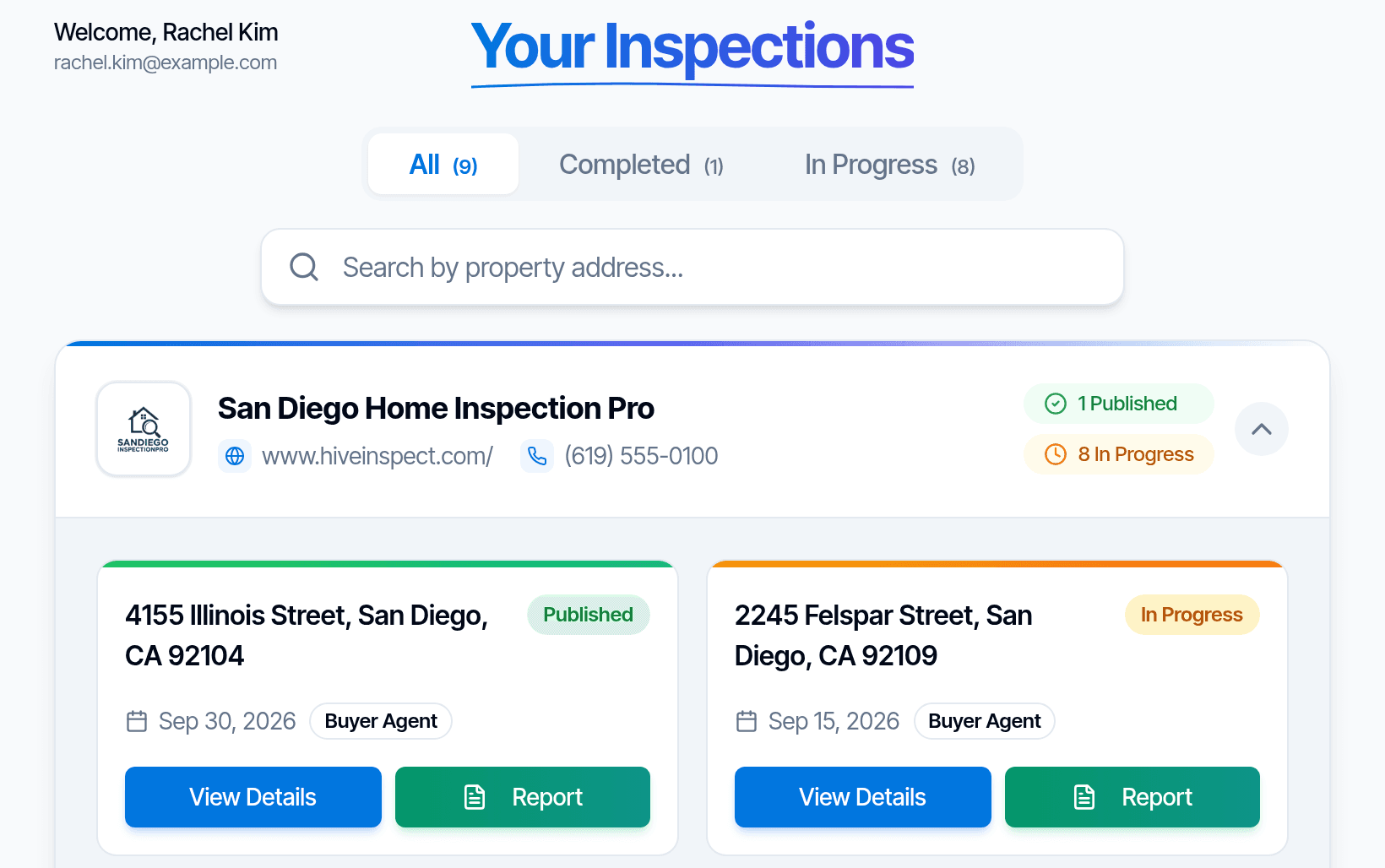
- Agent portalAgents find every report they’re on in one place.How it works
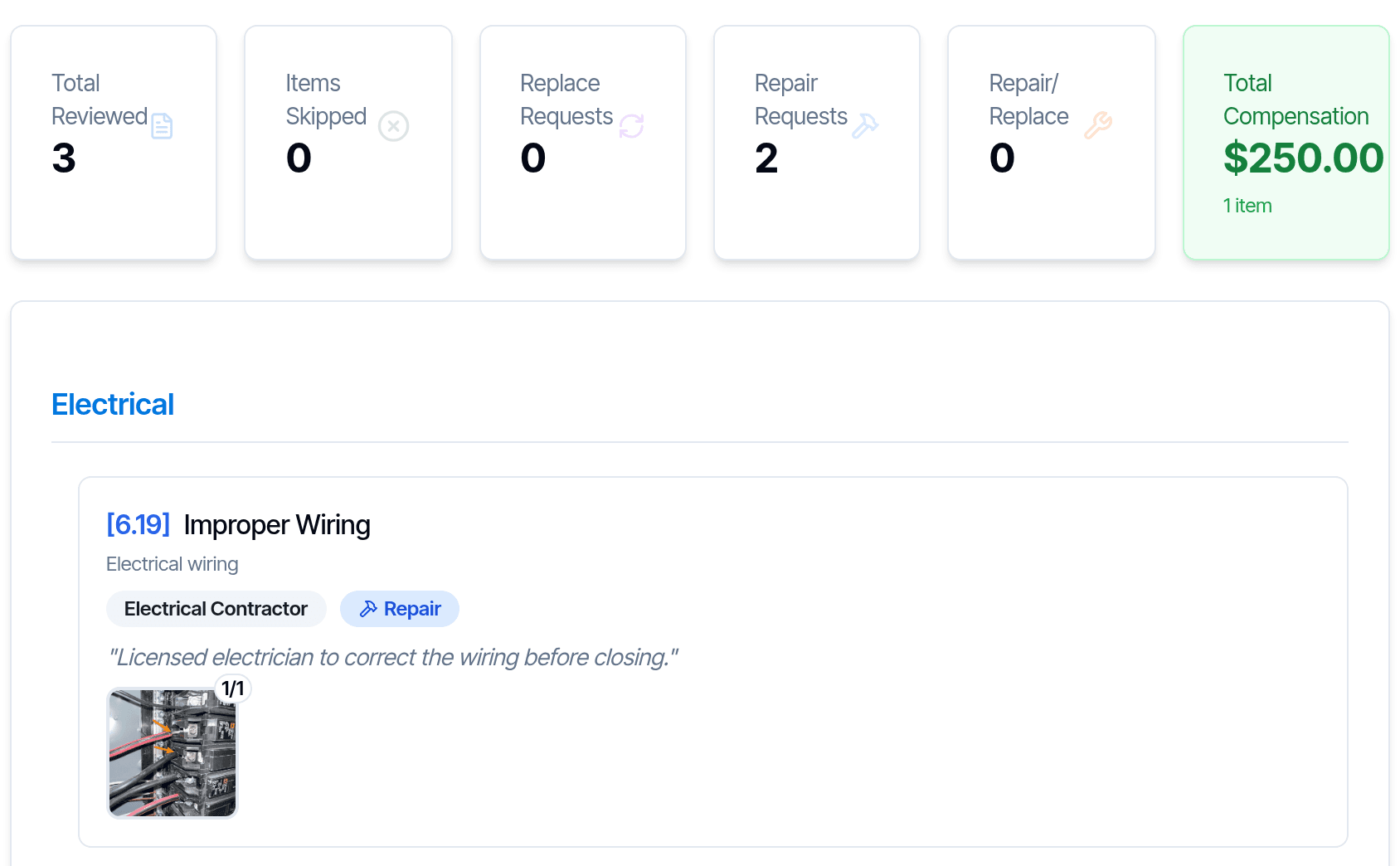
- Repair request builderAgents pick defects to build a repair request.
- Spanish and FrenchReports in Spanish, PDFs in French. Other languages on request.
Show all 12 delivering the report featuresShow fewer
- Recommended contractorsShow your contractors in the digital report.
- Your repair estimatesAdd your own cost and timeline estimate to a defect.
- Outside reports in one placeAttach radon, sewer or WDI reports so clients get everything in the portal.How it works
- Search inside the reportReaders search the online report on a computer or phone.
- Charts in the reportDonut and bar charts of defects by type, category and section.
- Report opened alertAn email when someone opens your report.

“… repair addendum feature … saves me hours on every transaction.”
Follow-up
Emails and texts that send themselves.
- AutomationsMessages go out when a job is booked, a report is published or a payment comes in.
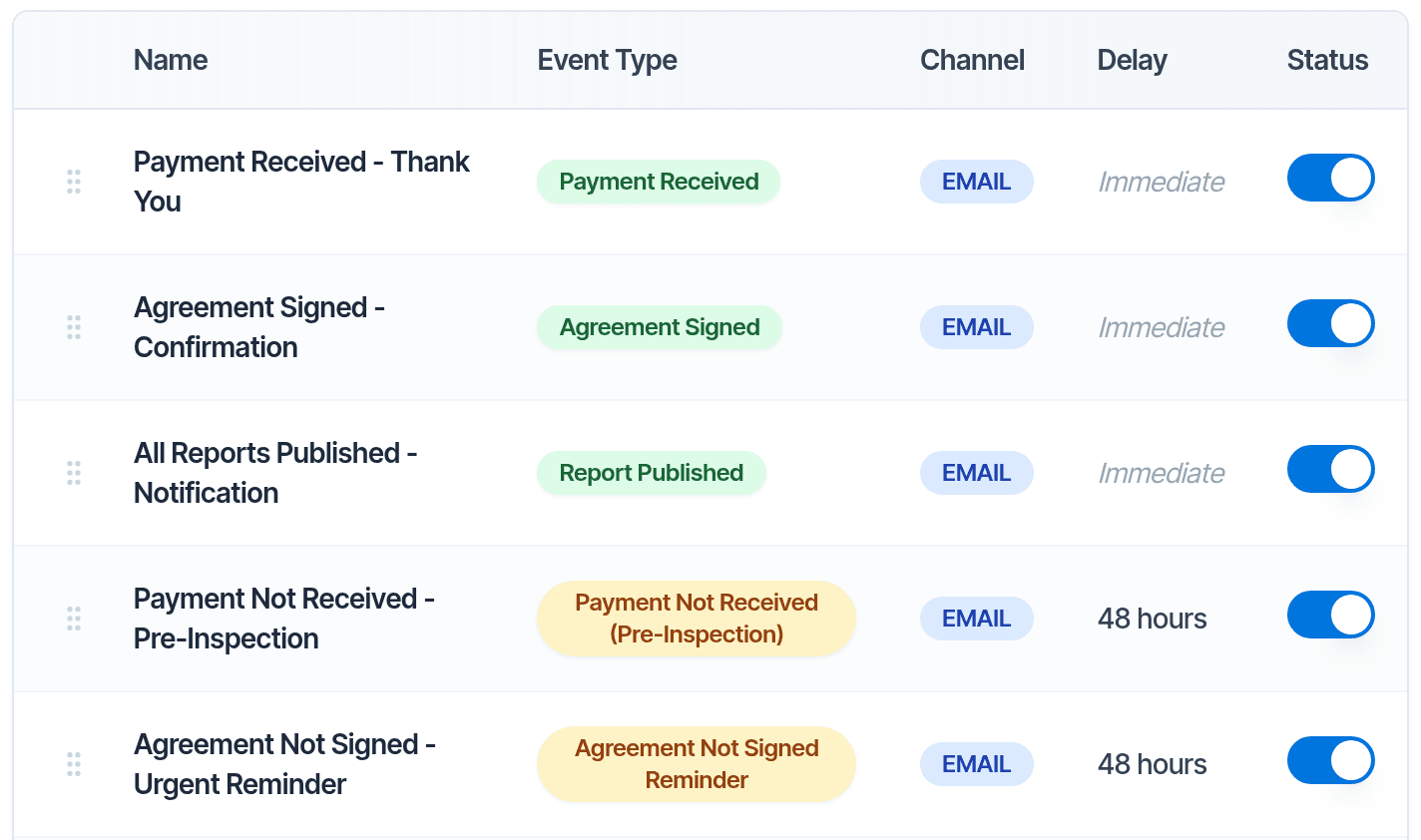
- Conditions on automationsSend only when the client has paid, signed, or booked a certain service.
- RemindersBefore the inspection, and for unsigned agreements and unpaid invoices.
- Email and textMessage clients and agents from Hive. Add your own number for two-way texting.
- Subcontractor alertsTermite, septic or radon partners hear about their jobs automatically.How it works
Show all 9 follow-up featuresShow fewer
- Add-on emailsOffer add-on services after a client books.
- ContactsClients and agents with tags, notes and every linked inspection.
- Import contactsFrom a spreadsheet, including exports from ISN, HIP and HomeGauge.How it works
- MailchimpClients and agents sync into Mailchimp for newsletters.How it works
Running the business
For one inspector or a whole team. See how Hive works for solo inspectors and for multi-inspector firms.
- Roles and permissionsDecide who can schedule, publish, edit templates or see financial data.How it works
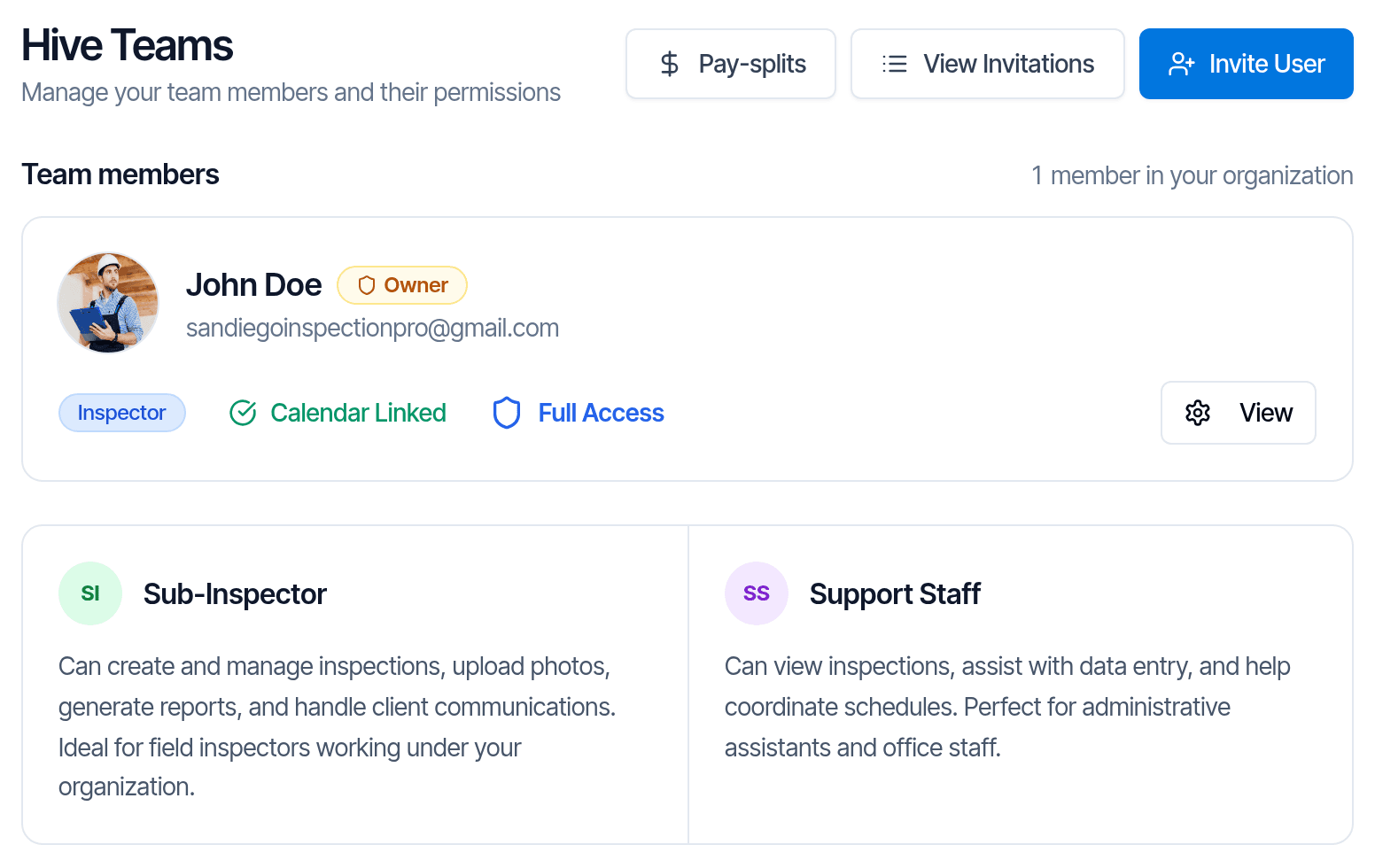
- Pay splitsRules for what each inspector earns on a job.
- Metrics and reportsInspections, revenue by inspector and service, and referral sources.
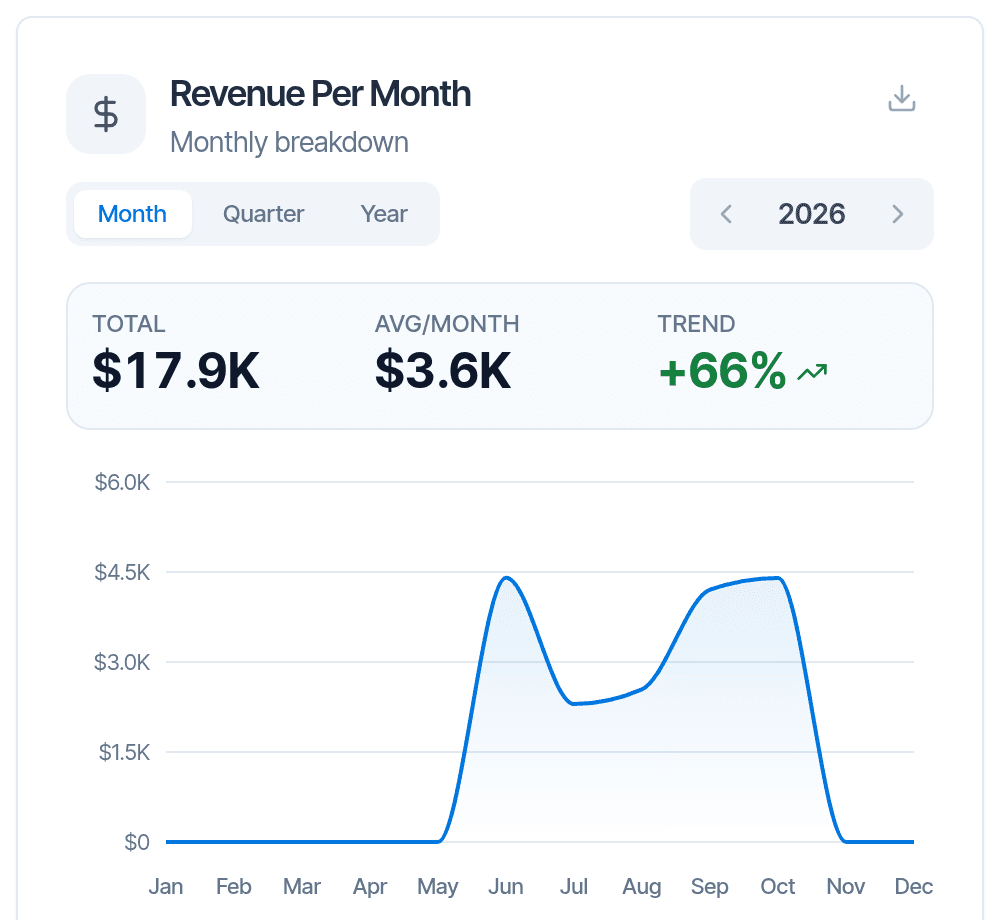
- Custom charts and reportsBuild your own charts and tables from your data.
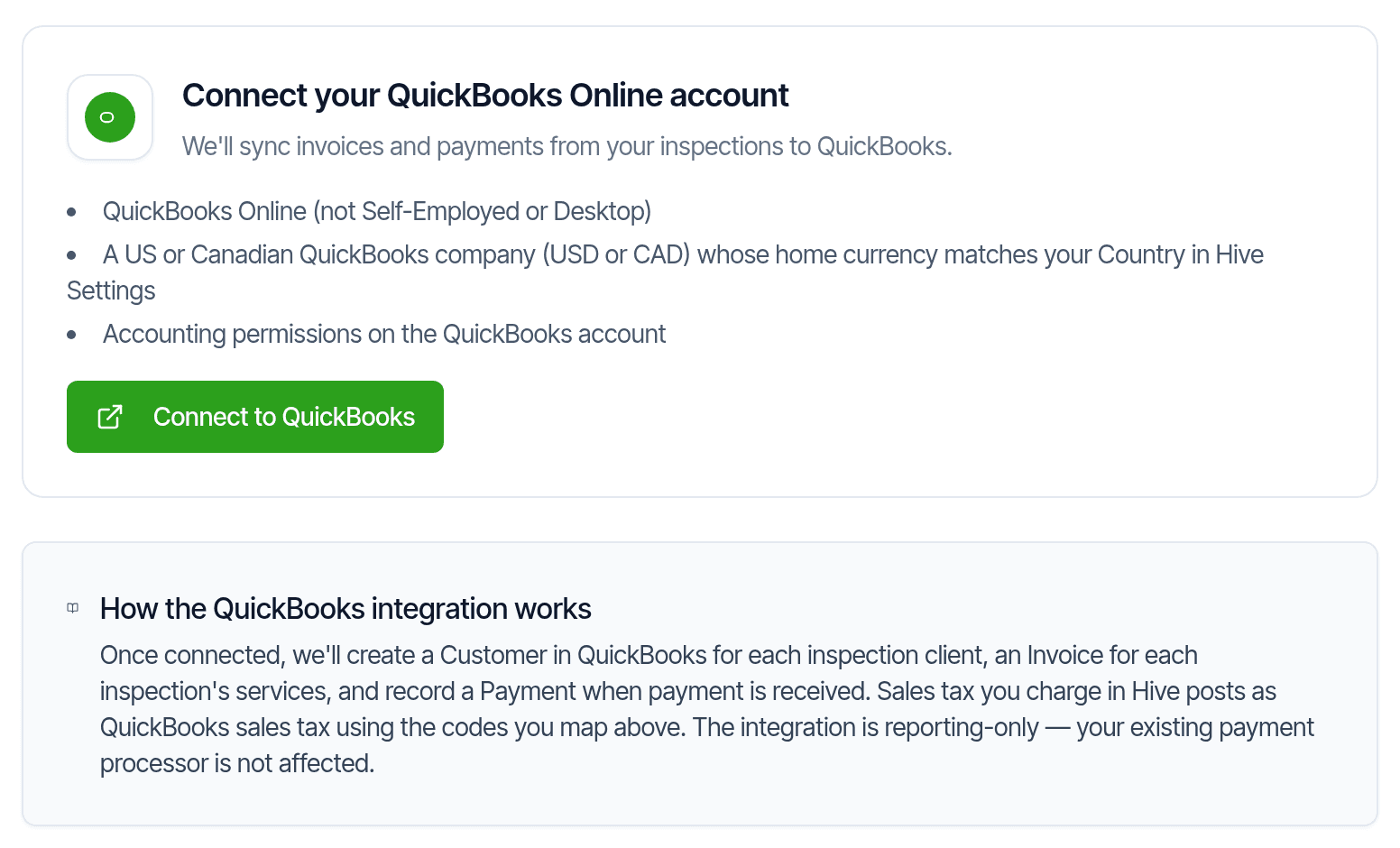
- QuickBooks OnlineInvoices and payments sync to QuickBooks.
Show all 10 running the business featuresShow fewer
- Review before publishingAn admin checks reports before they go out.
- Office staff loginsStaff schedule and manage without taking an inspector seat.
- Hours and mileageClock-in times and mileage, exported for payroll.
- Spreadsheet exportsInspections, payments and contacts as CSV files.
- InterNACHI Buy-Back GuaranteeInspections are registered automatically when you publish.How it works
“The software has great back office potential as well … scheduling, report generation, communication, … invoicing, pretty much everything you need to do, it will do. It even handles pay splits.”
Getting started and support
Help moving over, and help after.
- We move your dataTemplates, agreements, services, contacts and past inspections, moved for you.
- One-on-one onboardingA live session to set up services, pricing and agreements.
- Videos and help centerA short video for each setup step, and how-to guides.
- Customer support 7 days a weekBy chat, screen share, video call or email. Chat in the app or on the web.
- Hive Users groupOur Facebook group, with 960+ members.

“It’s incredible to request quality of life features and see them implemented in a matter of hours.”
Your software bill doesn't grow with your business
Pay splits, automation conditions, subcontractor alerts, linked events, service areas and custom reports are all in Hive's $99/month.
On Spectora they're part of the optional Advanced plan, at $4 per inspection, so every job you book adds to the bill. At 40 inspections a month that's $160 more, every month. In Hive, a busy month costs the same as a slow one.
Works with
- QuickBooks Online
- Google Calendar
- Stripe
- Mailchimp
- InterNACHI Buy-Back Guarantee
- Zillow
Coming soon
- Hive AI Agent: your assistant for the office. Ask about open slots, unpaid invoices or unsigned agreements, and tell it to reschedule an inspection and more.
- AI Scheduling Agent: answers your calls while you’re on an inspection, checks your calendar, books the job, and hands the call to you when a person is needed.
- Public API and ChatGPT or Claude connector: connect your own tools and AI assistants to your Hive data.
Feature questions
- Is every feature on every plan?
- Yes. Every feature and every AI tool is on the $99/month plan. The price stays the same however many inspections you do.
- Does Hive work without cell signal?
- Yes. You can take photos, write and edit without signal, and the report syncs when you are back online. The AI tools need an internet connection.
- Can real estate agents see the reports?
- Yes. Agents get their own portal with every report they are on, and they can build a repair request from the defects.
- Does Hive have Florida and Texas forms?
- Yes: Florida wind mitigation, 4-point, roof and WDO, Texas TREC and WDI, and NPMA-33.
- Can I bring my templates?
- Yes. Our team moves your templates, agreements, services, contacts and past inspections for you, free. You can also import templates from Spectora, HIP or HomeGauge yourself.
Try Hive on your next inspection
Start with 5 free reports, no credit card. We move your templates, agreements, services, contacts and settings, and set up your account so it’s ready to run your business, free.