


Send clients a priced repair estimate with every report
Publish the report, and the Hive Repair Estimator prices every defect for the local market, groups the work by contractor trade with a total for the home, and 15 minutes later emails the PDF to your client, their agent or both.
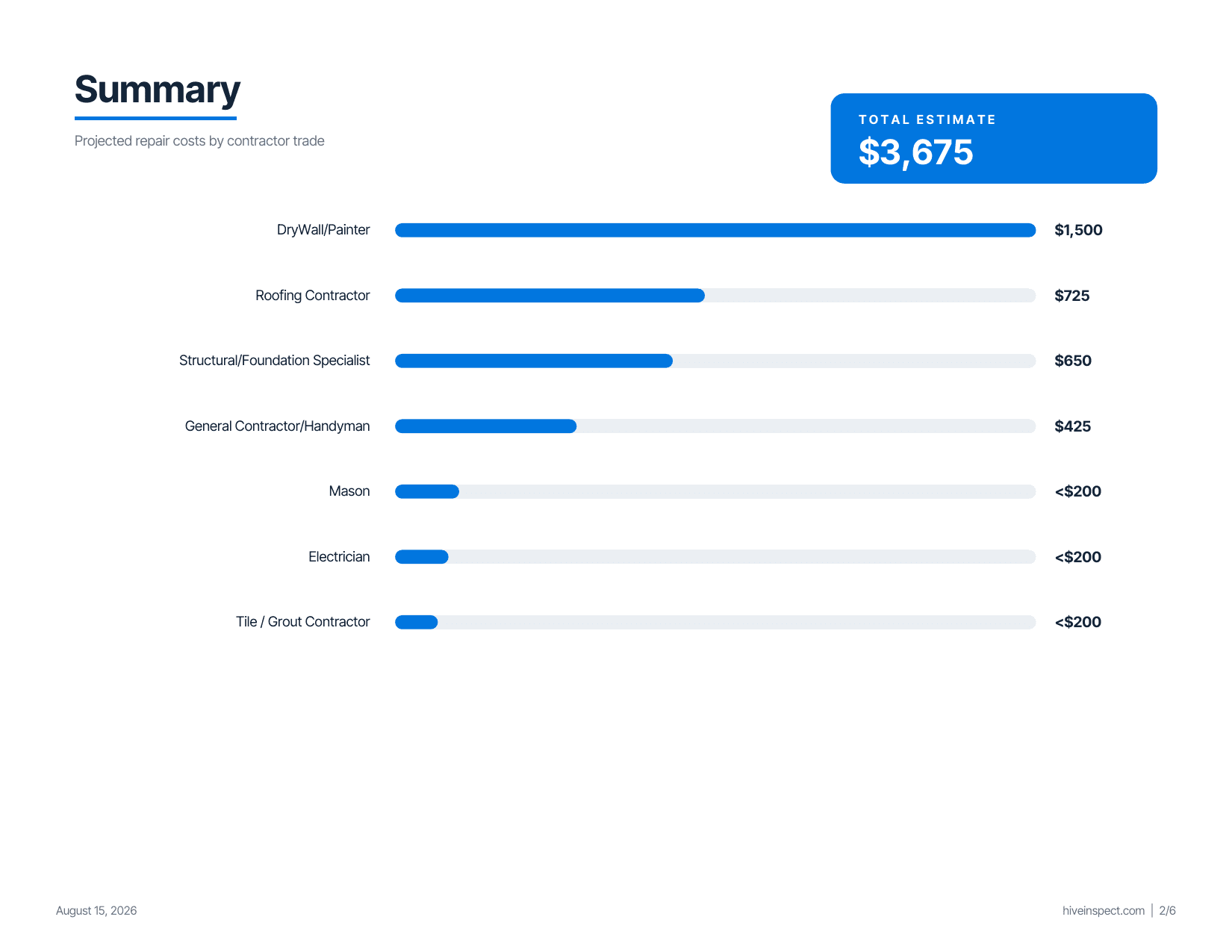
- By trade
- a subtotal for each contractor trade and a total for the home
- Local prices
- based on the property’s city, state and ZIP code
- Included
- on every plan, including the 10-report pack
Your client gets the numbers, not just the findings
Numbers for the repair request
Your report says what is wrong. The estimate says roughly what it costs to fix, so your client can ask for repairs or credits with real numbers.
Grouped the way contractors quote
Each defect sits under the trade that would fix it, such as a roofer, plumber or electrician. Related items are bundled the way a contractor would quote them, and small items are listed as under $200.
Flags what needs a specialist
Items that can’t be priced responsibly without a specialist, such as water intrusion or structural movement, are flagged for further evaluation instead of guessed at.
How the Hive Repair Estimator works
Turn it on once for each template. After that it runs when you publish. Setup steps in the Hive docs
Step 1
Turn it on for a template
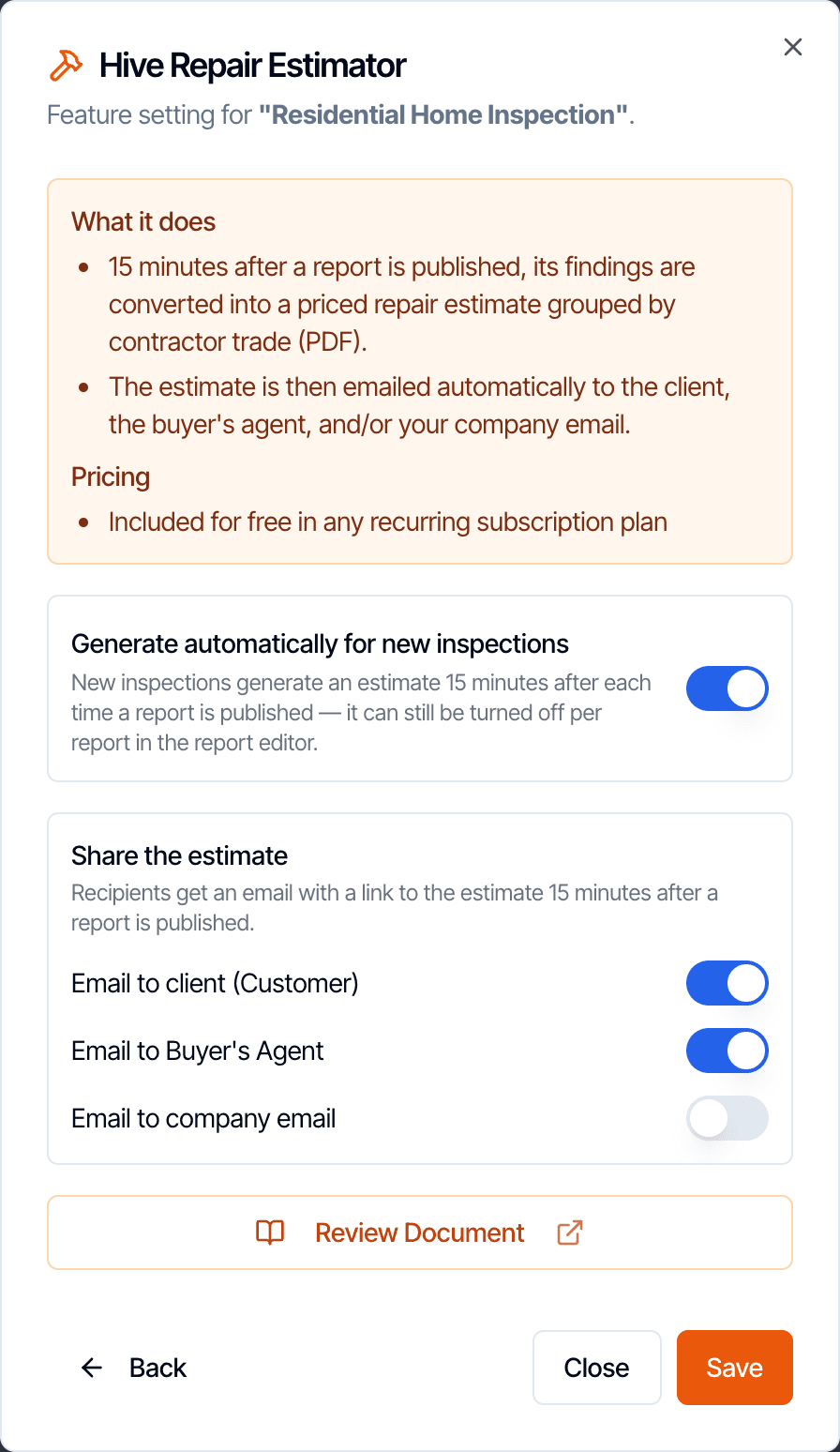
In Template Tools, switch on the estimate for new inspections and choose who is emailed: your client, the buyer’s agent, your company email.
Step 2
Preview it if you like
In Report Tools, Generate now builds the PDF, usually in under two minutes, so you can read it first. A preview never emails anyone.
Step 3
Publish as usual
From the web or the mobile app. 15 minutes later Hive emails the estimate, so it arrives after the report email.
Cost to Cure or the Repair Estimator?
Both give your client repair costs. The difference is who sets the price.
| Cost to Cure | Hive Repair Estimator | |
|---|---|---|
| Who sets the prices | You. You type a cost on each defect. | Hive AI, priced for the property’s local market. |
| Where the client sees it | Inside your report, digital and PDF. | A separate Hive-branded PDF. |
| When the client gets it | With the report. | By email, 15 minutes after you publish. |
| Which defects are included | Only the defects you gave a cost. | Every defect in the report. |
| Totals | No total. Each defect shows its own cost. | A subtotal per trade and a total for the home. |
You can use both on the same report. They don’t affect each other: the Repair Estimator does not read the costs you typed, and your costs are never changed by it.
Hive Repair Estimator questions
What is the Hive Repair Estimator?
Where do the prices come from?
Which defects are priced?
Who gets the estimate, and when?
Is there a liability risk for me?
Does the Repair Estimator cost extra?
How the AI fits together is on the How Hive’s AI works page. Anything else: email support@hiveinspect.com.
Send a repair estimate with your next report
Start with a free trial: 5 free reports, no credit card. We move your templates, agreements, services, contacts and settings, and set up your account so it’s ready to run your business, free.