


Describe the finding. Hive finds your comment.
Type "wiring issue in the breaker" in the Hive app. Smart Add shows the matching comments from your report, or drafts one and files it under Electrical.
Inspectors report saving 25–30 minutes per inspection with Smart Add.
- Up to 3
- matching comments, each with a match score
- Any section
- start from wherever you are in the report
- Every plan
- included, with no usage cap
No more scrolling through your template on site
Stay on the screen you are on
In the garage with a wiring defect? Describe it, and the comment lands under Electrical, Panelboards and Breakers while you stay in the garage.
Your own comments first
Smart Add searches every comment in the report and shows how close each one fits, so you reuse your wording instead of writing a duplicate.
A new comment when nothing fits
Hive drafts it in your company's voice and picks the section. Check it, confirm, and save it to your template for next time.
How Smart Add works
One button in the mobile report editor. Setup steps in the Hive docs
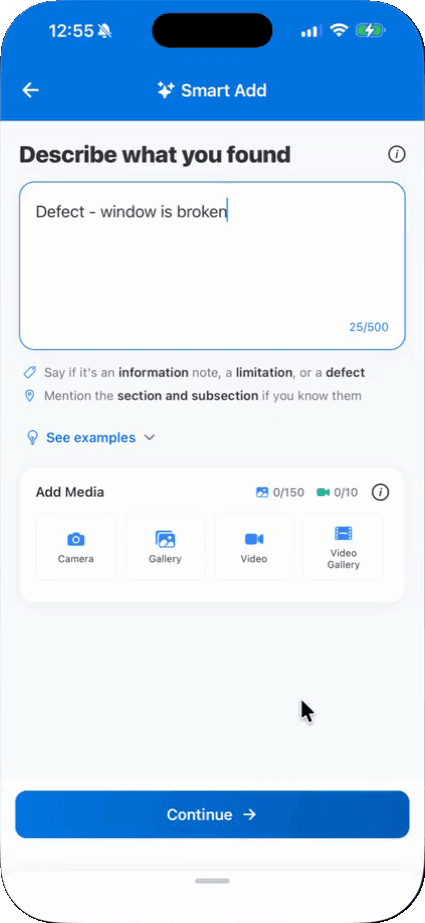
Step 1
Describe what you found
A sentence or two, plus photos or video if you have them.
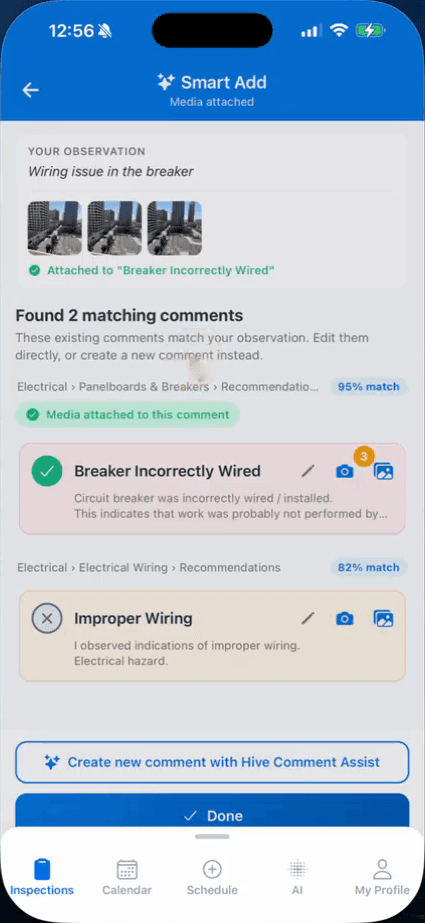
Step 2
Pick the closest match
Each match shows its score and section. Your photos go on the one you pick.
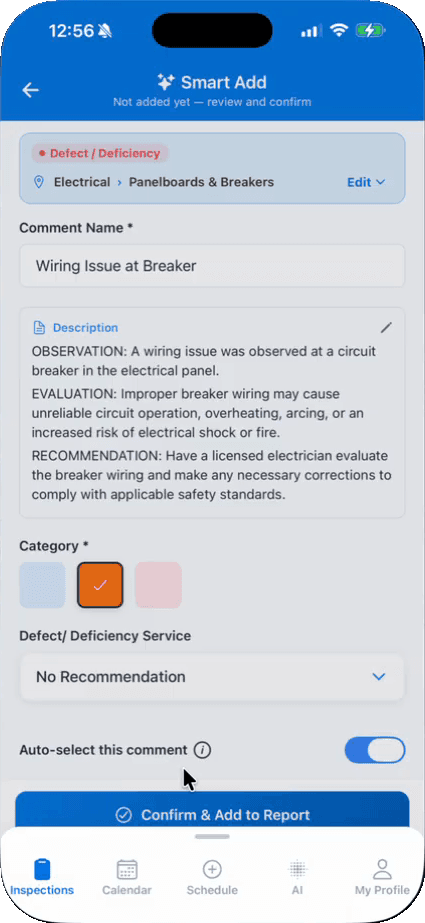
Step 3
Or confirm a new comment
Hive drafts it and picks the section and subsection. Edit anything, then confirm.
Smart Add questions
What is Smart Add?
What should I type?
Where is Smart Add available?
Does Smart Add cost extra?
How the AI fits together is on the AI home inspection software page. Anything else: email support@hiveinspect.com.
Try Smart Add on your next inspection
Start with 5 free reports, no credit card. We move your templates, agreements, services, contacts and settings, and set up your account so it’s ready to run your business, free.